Trading Hours
Understanding how trading hours work
Trading hours define when your pharmacy is open for business. They're displayed to customers on your public booking page and set the baseline for when bookings can be made.
Three Layers
Your trading hours consist of:
- Weekly schedule - Your standard operating hours for each day of the week
- Public holiday policy - Whether you're open or closed by default on public holidays
- Exceptions - Specific dates with different hours or closures
Where to Manage Trading Hours
Trading hours are configured during onboarding and can be updated anytime from the Settings page. Look for the "Trading Hours" card on the right side, which shows your current hours and has an Edit button.
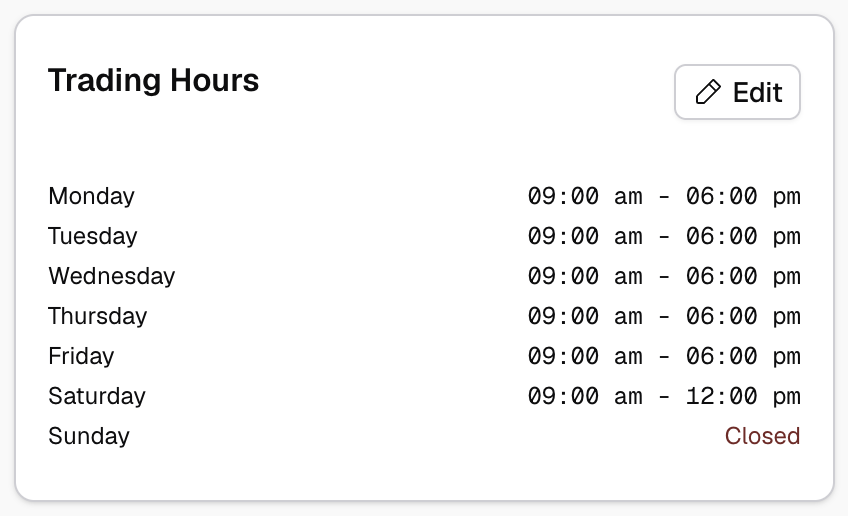
Weekly Schedule
Your weekly schedule can vary by day of the week. Each day can:
- Be enabled or disabled for trading
- Have one or more time blocks (e.g., morning and evening sessions)
You can use the split button to divide time blocks (useful for lunch breaks)
Public Holiday Policy
You can set a default policy for public holidays:
- Closed by default - You'll be marked closed on all public holidays unless you specify otherwise
- Open by default - You'll use your normal hours on public holidays unless you specify otherwise
Exceptions
Exceptions override your weekly schedule for specific dates. Use them for:
- Public holidays with special hours or closures
- Staff training days
- Special events or extended hours
- One-off closures
Light pre-populates public holiday exceptions to make it easy for you to specify availability on commonly differing dates.
See Managing Exceptions for details.
How Trading Hours Affect Bookings
Trading hours impact your booking system in several ways:
- Displayed to customers on your public booking page
- Inherited by resources set to "Follow Site" availability mode
- Constrain overall booking availability (unless resources or services are opted out)
When your site is closed (according to your trading hours and exceptions), all resources and services are automatically unavailable (unless specifically opted out).