Managing Exceptions
Creating and managing trading hours exceptions
Exceptions allow you to override your weekly trading hours for specific dates. Use them to handle public holidays, special events, staff training days, or one-off closures.
Where to Manage Exceptions
Exceptions are managed in the "Special Trading Hours and Closures" section on the Settings page, located below your Trading Hours card.
Tip: Use the command palette (Cmd+K or Ctrl+K) and search for "Exceptions" or "Trading Hours" to quickly navigate to Settings.
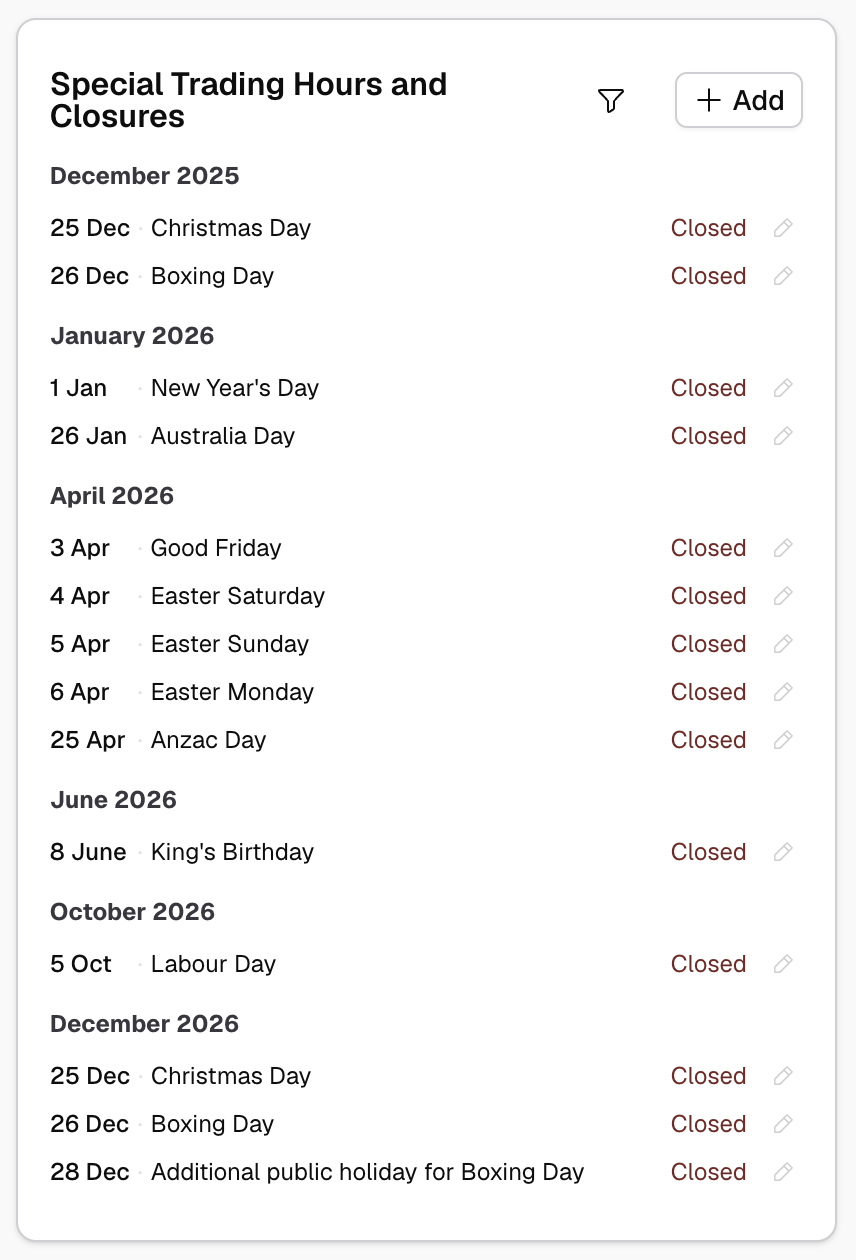
Pre-Populated Public Holidays
Light automatically lists public holidays for your jurisdiction. This makes it easy to specify your availability on these commonly different dates.
The list shows upcoming public holidays with their default status based on your public holiday policy. You can click on any holiday to:
- Mark as closed
- Set custom hours for that day
- Leave as normal trading hours
Creating a Custom Exception
To add an exception for a date that's not a public holiday:
- Click the + Add button
- Select the date
- Choose the exception type:
- Closed - Site is closed that day
- Custom hours - Different operating hours for that day
- If custom hours, enter the time blocks
- Save the exception
Types of Exceptions
Closure
Mark your site as closed for the entire day. No bookings will be available.
Common uses:
- Public holidays
- Staff training days
- Emergency closures
Modified Hours
Specify different operating hours for a specific date.
Common uses:
- Extended hours for special events
- Reduced hours on holiday eves
- Early closing for staff meetings
Editing or Removing Exceptions
Click on any exception in the list to edit or remove it. Changes take effect immediately and update booking availability.
Exception Priority
Exceptions override your weekly schedule. If you have an exception set for a date, it takes precedence over your normal trading hours for that day.
How Exceptions Affect Bookings
When you create a trading hours exception:
- Existing bookings on that date are not automatically cancelled
- New booking availability updates immediately
- Resources set to "Follow Site" inherit the exception
- Resources with custom hours are still constrained by the exception (unless opted out)
If you need to cancel existing bookings when closing, you'll need to do that separately from the bookings screen.