Service Availability Modes
Understanding Linked Resources and Virtual modes
Service availability modes determine how the system calculates when a service can be booked. This page explains each mode and when to use it.
Linked Resources
The service's availability is based on linked resource availability. This is the most common mode for services that require physical resources (rooms, staff, equipment).
How it works:
- Service is available when linked resources are available
- Can require "any" resource (default) or "all" resources
- Optionally add service-specific hour constraints
Use this for:
- Standard consultations (need a room and/or pharmacist)
- Services requiring specific equipment
- Services delivered by staff members
Example: General consultations need a consultation room. The service is bookable whenever at least one consultation room is available.
Linked Resource Mode
When a service is linked to multiple resources, you can choose:
- Any - Service is available when at least one linked resource is available (default)
- All - Service is available only when all linked resources are available simultaneously
See Linking Resources for details.
With Service-Specific Hours
You can add hour constraints on top of resource availability. The service is only available when:
- A linked resource is available, AND
- Within the service-specific hours
Example: Vaccinations use consultation rooms (available Mon-Fri 9-5), but you only administer them Wed 9 AM - 12 PM. Add service-specific hours of Wed 9-12 to constrain availability.
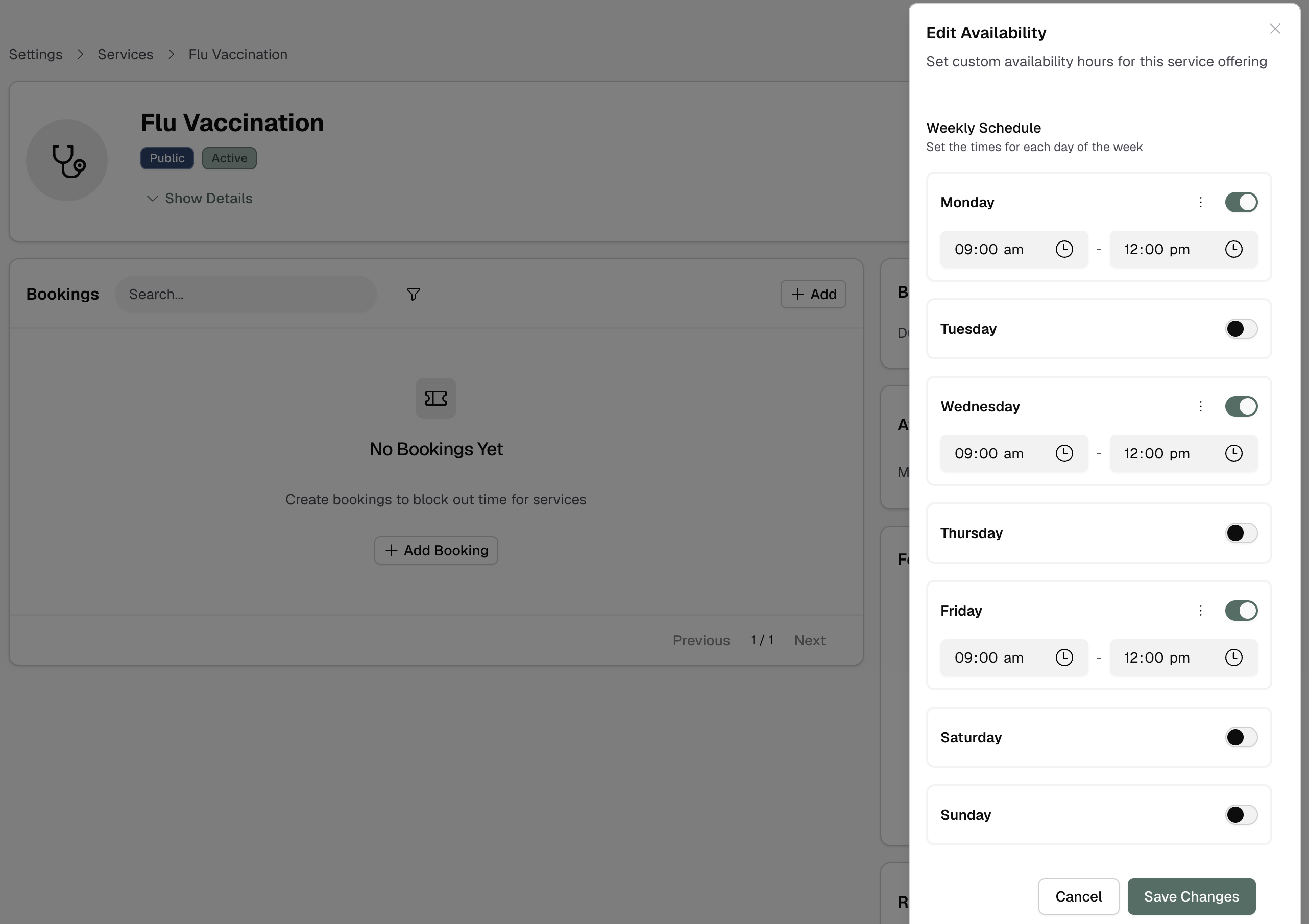
This is useful for services with scheduling policies that don't match resource availability.
Virtual
The service has its own availability schedule, independent of any resources. No resources are assigned to bookings.
How it works:
- Define weekly hours for the service
- No resource capacity limits
- Unlimited concurrent bookings (within the schedule)
Use this for:
- Group classes or sessions
- Virtual/telehealth consultations (when not tied to specific staff)
- Information sessions
Example: A weekly health information session runs Tuesdays 6-7 PM. Any number of customers can book the same time slot.
Virtual services can be opted out of site hour constraints if you want to offer them outside normal trading hours.
Changing Modes
You can change a service's availability mode:
- Go to the service offering detail page
- Click Edit
- Change the availability mode
- Configure mode-specific settings (linked resources or custom hours)
- Save
Existing bookings are not affected, but future availability updates immediately.
Which Should You Choose?
Choose Linked Resources if:
- Service requires physical resources (rooms, staff, equipment)
- Resource capacity limits apply
- Most pharmacy services fit this category
Choose Virtual if:
- No resource capacity limits
- Group sessions where multiple customers can book the same time
- Service doesn't require physical resource assignment
When in doubt, use Linked Resources - it's the standard mode for most pharmacy services.